Tweet

New to Beyond Casual? – start from part 1!

Showing posts with label 3D. Show all posts

Part 7: “Me Tarzan, You Jane?”

“Johnny-Cab” / Total Recall (1990)

Tarzan the Ape Man (1932)
From IMDb:
Tarzan the Ape Man (1932)
…At no point in this movie is the line "Me Tarzan, you Jane" spoken. When Jane and Tarzan meet, it is she who initiates the verbal exchange, repeatedly indicating herself and giving her name until he repeats it. She then points to him, indicating that she wants to know if there's a word for who he is as "Jane" is the word for who she is, until eventually he understands and says, "Tarzan." 

It seems human communication combines words and gestures – could Tarzan and Jane communicate on voice only? And how did he got that cool hair-cut living in the jungle? Man – it does not make any sense

Jungle Hunt (1982) …totally unrelated sorry J 

The story of the personal virtual assistance

When I speak with people about natural user interfaces (NUI) some people just think that voice is the answer to everything. “After all – talking is the most natural thing, right?”. Yes, talking is natural – no argue about it. The verbal language is only a part of the picture.

2001: A Space Odyssey (1968) 
 Sci-Fi has always been much into the idea of having a digital servant to help us in our day to day tasks. And many wonder how come this didn’t became our day to day common interface with machines. But the full story is its not only related about the accuracy of the speech recognition algorithms alone. Having a butler that follows you is not a pleasant experience if this butler is just incapable. In order to really help you – he needs to be able to do things, and he needs to have a solid context of his master and surrounding.


Perhaps – this is the main reason why Apple’s Siri is actually meaningful: for the first time, the assistant has solid context and capabilities. Siri knows me, where I am, who the people in my contact list are, and she can send messages, add reminders and even solve algebra (With the help of Wolfram Alpha). Apple just managed to bring the context to an interesting level.

Gesture + Voice

Adults use voice to communicate. But if you close your eyes – your comprehension level will drop significantly. We look at each other and use the whole body language when we communicate. In many cases – body language holds more information than the spoken word
Imagine you go to shopping – when you will be asked which shoe you want you will probably just say ‘this one’. The communicated information is now encapsulated by your pointing gesture and surrounding context.

Now - back to reality.

Imagine an application that ask you which item you want to choose and you just point to it and say ‘this!’. Hey – I don’t need even voice recognition for that! Just detecting the pointing gesture together with some synchronized vocal burst might be enough. And it will work in any language! (Just like Tarzan and Jane…). If you don’t give up on the decades of work done in speech recognition, you can simply use it to dramatically improve accuracy. Body language takes a huge part in our communication context.

Assistant vs. tool

Another way to look at modern life – is that we all want to be served. Just like kings of prior centauries. But everyone will be kings now!
A dining king

So imagine the king and queen sit together to dine. They have like 5 cooks and 10 waiters. This surrounding staff is responsible to doing what is hard (IE: prepare a steak) or bringing what is out of reach. But if the food is on his plate, the king will prefer to take the fork and bring the food to his mouth by himself (Asking the servant to do it will be awkward and freaky)
Yes – sometimes we prefer to do stuff ourselves. In such cases – we prefer to use tools.


 Making sounds while playing
Actually – I could continue the philosophical MMI discussion for an hour – but you guys read this to have fun, right? Let’s bring on gaming!
There are only a few examples of game experiences that combine gestures and voice. Some examples:


But let’s just stretch our imagination a bit furtherer…

"Bang bang, my baby shot me down"

If you look at kids when they play around – you will notice many of their games are actually role playing. They imagine they are some hero and they try to imitate the appropriate comic gestures. It does not end with gestures –they are also imitating the sound effects!
·         Cowboys yell ‘bang bang’ as they shoot
·         Kong-fu master make ‘shhhhffff’ to simulate impossibly quick karate chops
·         Wizards and other super-natural beings make all sort of sounds  (KAMEAMEA!)
By analyzing the audio stream, we can detect sounds coordinated to the gesture and give it some meaning:
·         Karate chops and kicks gets powerful on many appropriate sounds: you see some white trail effects and it actually inflict more damage!
·         A boxing hit explodes when the user say ‘boom’
·         A tennis racket get emphasized once the player shouts on the hit

Instead of ‘collecting’ magic spells and scrolls, the master wizard can show you how to move and what to say in order to invoke magic!
This way you actually learn the magic spells that works in the imaginary virtual world of the game. The learning is practically done by the user’s mind – just like it is really imagined in the fantasy story!


Another example is triggering ‘bullet time’ slow motion scene using sounds.
Imagine the player encounter many enemies coming towards him. He stands in a battle pose and start saying ‘ta-ka-ta-ka-ta-ka’. Then the system continues the ticking sounds. The enemies and world physics are now in slow motion. The player can easily hit all enemies. After a timeout – world time return to normal and all the enemies fall on the floor together!


Part 6 : Flying


Joust (1982)
One of the oldest cross cultural dreams involves flying. Humans always looked up with envy at birds, as they fly across the sky. We learned to build machines that help us compensate for our lack of wings or sufficient strength, but boxing ourselves also means we lost the craved free flight experience. And when we try to get it back, it is extremely dangerous – physics punish us with the great gravitational pull of earth. Goodbye Newton – I am switching to my virtual world!


Lilienthal’s “Fliegeberg (1894)

Gliding

Para-Gliding
Let’s first discuss unpowered flight first.

A natural full body gliding control can be inspired from free-fall skydive sport

Gliding forward by holding the hands backward
Putting the hands closer to the body reduces the lift and increase speed of fall (This can be related to the angle of the hands)
Moving the hands down, reduces drag speed, and increase forward motions, while spreading the arms slows down the gliding

Regardless of the hand poses, actual body rotation should also control bearing/pitch/yaw in parallel 


Flapping wings (Ornithopter)

Moving the hands down creates lift. In our simplified model – we can ignore the up motions (Unlike birds – it would be OK if don’t really have to fold our ‘wings’ in the process)
This lift gets stronger with the down motion

Once airborne – the lift gets x3 stronger (So the best way to liftoff, is to first jump together with a strong flapping motion)

The same mechanics can also support special super-jumps: if the user simply jumps and uses his hands too – he will reach higher altitudes!


Building a physical model 

A full physical model is of course an overkill – but a carefully thought simplified model can encapsulate the diversity of behaviors we require. Going back to high-school physics books to refresh our knowledge of moments, torque, and trigonometry can get us to a sufficient point (And to think you thought it will never be useful…). 
We assume two rectangular ‘wings’, without any airfoil
  • Lift forces are generated by the air-drag below the wings, and in the upwards normal direction. The force magnitude is a factor of: the combined virtual speed and the local hand motion, as well as the angle between the wing and the air flow vector
  • Moving the hand s up changes the wing angle accordingly
  • Moving the hands forward/backward may also change the wing rotation

You can freely add constants such as wing surface, drag factor, and the universal gravity constant (g) – all those should be tuned until you reach a fun experience, that matches the dynamics of the game.

And ppppplease: you don’t need HW accelerated Physics engine to simulate a couple of trigonometric function per frame…

Rocketman!

The Flying Moonman / ahillel 
Why bother flying with wings when we can have jets?
Control model can simply use the hands as two elements that can add drag
This will translate to the following gestures:

  • ·         Slow down when spread around
  • ·         Control pitch when moving hand together forward and backwards
  • ·         Roll with one hand forward and another backwards
  • ·         Change yaw/bearing by spreading only one hand


 "jetman" Yves Rossy


Chicken and egg problem?

OK – so we can fly. It still does not mean it’s going to be fun. If you play with any of the available bird/dragon controlling games, you will discover most don’t really give you the satisfaction of flying. If it’s too easy to fly – it just feels like another flight simulator.  If it’s too hard to fly – we are back at fitness vs. fun equation of the previous post. We need to find some special game dynamics that will actually make it fun and challenging.
Daedalus and Icarus

  • You can upgrade to allow flying by collecting/applying limited magic. Imagine a game where you eat a special potion that turns your hands into wings à so your flapping lift gets amplified…
  • For the Darwinists, you can evolve and gradually increase your wing surface (So you begin as a chicken and end as easily gliding eagle – of course this has nothing to do with natural selection)
  • Alternately, you can create a game logic where everything is possible without flying – by walking. You break the fitness/fun equation by only allowing the user to fly a bit in order to jump higher / faster. The level design should not encourage your players to overuse it.


References:

Part 5: Navigation


As I wrote in the 2nd post:, navigation in a 3D virtual universe is challenging. It’s not that hard to implement a navigation scheme, but it is hard to design an enjoyable 3D level, that will not cause your players depth perception to be constantly challenged. Are we really living in a 3D universe?

We spend most of our life on our feet. We don’t experience the 3rd dimension in the same level birds or flying insect do. On top of that – we are usually intimidated by full freedom of movement. Imagine walking in a jungle where you can move anywhere freely. Can you feel secure while constantly spending mental effort on choosing your path? Now imagine there is a road you can follow. Maybe even a city with roads and sidewalks? Now let’s think again on the ‘on-the-rails’ types of experiences discussed at the 2nd post – and compare it to your last trip to IKEA. Yes – we sure all like rail shopping J

But I already had a post with those excuses before – and the whole narrative of my posts is definitely not claiming we all should remain in static camera / rails games. Moving around in 3D virtual is challenging indeed – but it’s also a very powerful experience. For gesture games – we will need to invent creative new ways to make us feel on the move while remaining in front of the TV set.

Fun vs. fitness

Walking and running by jumping in place with alternate legs is something you can experience in Kinect Sports, as a well as several other Kincet games. It is quite effective in the experience sense – you feel as you are walking. You even get tired. But if you are not into making fitness games, you should consider need to find some ways to empower the user. In fiction – part of the hero’s magic is easily achieving things that are considered hard or impossible. You character imagined incredible fitness should probably allow him to walk miles without giving it a second thought.

In this post I will discuss several schemes for walking. Not all those schemes are fully tested – but their certainly worth the discussion

Torso tilt - walking and strafing

When the user’s torso is tilted above a certain angle – motion in the appropriate direction begins. This is quite simple to implement reliably, and you can also apply it to sideways strafes.
The most problematic aspect of going with this scheme all the way is that tedious and uncomfortable. The user will need to move his legs in order maintain his balance, and when he will get lazy, he will begin to use his back muscles and put high pressure on his spine.
Down to level design – it is not recommended for cases where the user is expected to walk a lot.
If your game is sci-fi themed, you can use the jet-pack as a nice metaphor that explains this scheme naturally: once the user decides to power on the jets, his body tilt controls the motion.

Rotation

While literal movement in place is limited to the living-room space; rotation in place is not. But apart from my 2nd grade teacher, you will not enjoy the graphics if you reach a point where your back is to the screen. We need to challenge with two problems: be able to continue facing the screen after rotation and the camera angle changes.

Some simple solutions
  • Use the torso tilt for rotation purposes instead of strafing
  • Begin automatic camera rotation to when the user’s torso bearing passes a certain threshold.

Another possibility is ‘asymmetric rotation mapping’.
For the reference, let’s define the case of user facing the TV as 0 degrees. Now the user can turn to right or left. Right turn is the positive degrees change and left turn is negative.
Let’s imagine the camera rotation happens only when the user’s bearing changes away from 0 and ceases when it moves towards 0. The user can rotation to any direction and maintain his virtual bearing when he returns to face the screen.
You can also multiply the user rotation by some factor when moving ‘away’ from center bearing and creating a smaller scale on the return path – it will all do the trick as long as it is asymmetric. 


In place walking

Walking in place can be used to walk forward. If that is too tedious (Fun or fitness?) you can reserve the actual walking in place to signal on character running (So you don’t expect the user to walk all the time – but when he does he get a gratifying empowerment by seeing his avatar running)
Running is achieved by actually moving the legs up and down – in a walk in place fashion
To run forward, user need to raise legs alternately (left – right – left – etc.)
Optionally:
To retreat quickly, the user can step in same leg (left – left – left – etc.)
Walking in place with one leg forward and another backward rotates the avatar


Hand walking

When we walk naturally we also move our hands from side to side to maintain balance
This can be used to simulate walking instead of detecting the legs motion
This scheme and many other advanced contextual gesture parsing is demonstrated in Activate3D’s impressive ICM demo, downloadable inthe openNI Arena


Last words:

As mentioned in the opening to this post – navigation is a big challenge. Some user might prefer one scheme over others. In example, the user might feel natural and intuitive in the torso tilt scheme, but will not enjoy using it for long periods.
Sometimes – you can consider cascading several techniques, and allowing more than one way to work:

  • Tilt to walk, walk in place – to run
  • Both sideways tilt and asymmetric torso rotation
  • Walking and reaching the edges of the play area to begin automatic walking.
  • Requiring a tilt or in place motion to initiate/cease automatic  walking, instead of asking the user to maintain it

Part 4: The Clone Wars!

Star Wars: - The Empire Strikes Back (1980)


We like our own kind.  
Our minds favor our offspring, which look similar to us, our family and clan. This was curved by billions years of evolution – where natural selection favored finding mates, and safety. Thanks to genetic engineering we will soon need to face the social meaning of human cloning – and it might be scary. Thanks to motion tracking algorithms and computer graphics – we can enjoy our clones today!

Let’s first classify the cloning experience to two groups:

  • ·         Collaboration experiences’ getting empowerment from multiple copies of yourself that work together
  • ·         Identifying experiences’ seeing a version of yourself you can identify with
The Matrix Reloaded (2003)

Collaboration experiences

"1942" Video Game  (1984)
In computer games – this type of cloning is nothing new – and you can find it as a collectible bonus in many old scrolling shooters. Once you collect it - you get more bombers/spaceships/other-collection-of-unrecognizable pixels (Back in the old days we called it graphics). all those fly with you, shoot with you - the odds just changed for the good guys!


In AngyBotsNI, this is demonstrated by raising your left hand for a second. You can create as many clones as you want. You can dance with them. But teleporting to a level with enemies, multiplying yourself and shooting together gives a tremendously powerful emotional experience – that might be somehow connected to our primates’ ancestors.
You see many copies of yourself working with you and it is probably a similar to the experience of any clan of primates hunting together, or fighting for survival.

AngryBotsNI: http://arena.openni.org/OpenNIArena/Applications/ViewApp.aspx?app_id=586

Identifying experiences

Total Recall (1990)
Some years ago, I worked in a company that developed a video conference solution. During the development we had two PCs connected, sharing video streams. One time – due to some horrible buffer management problem – the video stream reached about 3 minutes delay. At some point of time – someone entered the room and told me something that made me worried and disappointed. He then left the room and my eyes were drawn to the screen. I saw the video of myself sitting happily… I knew something bad was about to happen and I felt sorry for myself when the whole scene repeated before my eyes again. 
Yes – it’s too easy to identify with yourself!

The Matrix Revolutions (2003)
But it’s not limited to your exact self. Anyone having kids sometimes had similar feelings – seeing these little versions of ourselves battling world of reality. It can be when you see them experience social difficulties, or encounter hard challenges at school. It is extremely hard to remain calm with it gets to violence.
The identifying effect was vastly used in the cinema too – but can we do anything to recreate it in computer games?


Imagine a game in which your whole motions are constantly recorded. Sometimes you could spawn a clone of your avatar that will follow your past movements.
Some ideas:

  • Imagine this is a controlled feature – when you can decide to spawn the clones at a specific gesture. You can then use this as a tactical move in battle or puzzles (Such as Portal)
  • It can also happen automatically when your avatar dies – you have a chance to join your clone in his last battle, see yourself get beat or maybe even change the outcome!


Part 3: Shooting!

Here it comes… the part you have all been waiting for – Shooting!

For some reason – we are magnetized by the ability to fire projectiles – and the combination of that with violence is, well, explosive. But enough about crappy philosophy, shooting is an essential need for hard core gaming experiences, so let’s explore it a bit.

As briefly discussed in the opening post, the Kinect depth resolution does not allow it to track fingers reliably when the player is standing more than 2m away. For the discussion in this post, I will therefore assume we need to find other means to pull the trigger.

Some may argue that it’s totally unacceptable, and pulling the trigger with a finger is mandatory. In the fiction world of most action movies, the heroes tend spraying around bullets in automatic mode. In reality – of course – it is: A) Not efficient/accurate B) You will actually spray only if someone else carries your ammunition. 

Of course, games are more like the movies. Back in the old days, some joysticks even had an ‘auto-fire’ switch – to make it easier on the lazy gamer. My argument are: it might be acceptable to find alternative to finger trigger firing, and single finger squeeze - single shot is not a mandatory requirement for a non-casual games.

Let’s discuss several possible gestures for shooting and the implementation considerations:

Single hand pistol
To release the trigger, the user emulates the recoil/kickback effect of a pistol, 

  • Since the same hand is used for aiming and triggering, this scheme will not allow accurate ranged attacks.
  • The requirement from the algorithm to detect a back motion creates a notable delay
  • The user needs to learn on the correct speed and length of a short motion. Since it is too short to enjoy intermediate feedback – user will probably suffer from exaggerated motion or missed gesture that might feel like an unresponsive gun (Not fun in scenes you are under fire…)
  • It certainly puts too much the light on the finger tracking limitation

Dual hand pistol
Shooting a real pistol accurately requires two hand holding. For the triggering, we tried a scheme where the hand holding the handle aims, and bringing the 2nd hand starts auto-firing.
In the movies, some westerns cowboys used the 2nd hand to speed-up the hammer. This can also be emulated in gestures, by moving then 2nd hand up/down or forward/backward behind the aiming hand.


While not obvious at first, there is a repeating problem in all those possibilities: which is related to the tracking technology. Users tend holding the aiming hand close to their body, and such poses are extremely challenging for many computer vision algorithms. Getting inaccurate aim is something you should expect and consider when choosing those schemes.

Dual hand Rifle

Rifles are much heavier then hand guns, and the natural shooting pose involve two hands: one to hold the rifle weight, usually near the far end of the gun, and another for squeezing the trigger. You can either fire when the user moves his trigger hand back and forth, or begin auto-fire when the 2nd hand gets close to the trigger.
Compared to pistol shooting, the aiming hand is relatively far from the body – and thus reliably tracked


“To Infinity and beyond!”: The Buzz Light-year maneuver

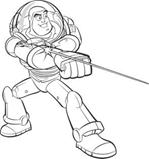
Had he own a gun, Sheriff Woody would probably use the pistol scheme – but his life friend Buzz has a much more advanced laser, implanted directly above his forearm. For gesture gaming considerations, this scheme is quite successful because the aiming hand is always straight in a ‘vision friendly’ pose.


Buzz other abilities, such as foldable wings and rocket boosters; definitely cry for someone to create a gesture game, any volunteers?

AngryBotsNI implements the Buzz Light-year Laser scheme

Coming up next: The Clone Wars!


Part 2 : POV and basic scenes


Point Of View

It is quite common to use terms taken form spoken language and storytelling as a metaphor for the game camera point of view. 1st person shooters put you in the eyes of the character seeing your virtual hands or weapon on the bottom of the screen. In 3rd person games you see your avatar from behind. I usually use the term 2nd person experience to looking at the front side of your character – in a mirror like visualization.

At first 3rd person looks like an easy direction for our gesture games (Especially if you consider the ‘On-Body’ ideas presented in the previous post) However –if your interaction also involve side facing interaction, 
3rd person POV involved fundamental difficulties I didn’t anticipate.


If you assume the tracking system is based on data collected from a front mounted camera (such as the Kinect and the most frequent installation of the PrimeSense sensor). It means the best tracked limbs will be those closer to the TV set. The leg and arm that are far from the set have high probability to suffer from occlusion. Naturally – the tracking of occluded limbs is less accurate – and highly depends on statistical pose models.

Let’s go back to the POV question – a 3rd person representation will show the user the back side of his avatar. When side facing – the occluded limb will be the most visible one – and will draw most of the attention. This fundamental effect is sometimes so strong that most players will think something is wrong with the tracking algorithms.

In 2nd person / mirror view, the non-occluded limbs are the one also most visible to the user. The occluded limb inaccuracy is easier to forgive, as it also seems occluded in the avatar’s rendering.
I am not claiming at all that we should avoid 3rd person completely – merely pointing out on the challenges involved, and the considerations one should be aware of from the game design phase.


Some historical examples for 1st and 3rd person views:
1st person history: 3D Monster Maze (1981)

1st person shooters history: Wolfenstein 3D (1992)


3rd person history: Tomb Raider 1996

Simple game scenes

When people ask how you naturally walk forward in a gesture game, I usually warn of the possibility of hitting the TV set. Navigation is one of biggest challenges for 3D games in general – not only gesture games. Regardless of the chosen paradigm; walking in a 3D virtual world, represented on our 2D displays may be a very frustrating experience: you it’s hard to get a good sense on the depth of the rendered items and scene walls. This is also why so much 3D platform games sucks. Jumping to a higher platform and realizing it is too far only after falling to a lake of lava is not an enjoyable experience! At the end – only extremely talented level editors manage to create fun 3D platformers. For this blog – let’s get lazy this time, and postpone the navigation challenge to future posts…
Rail game


Actually – there are many fun experiences you can create without actually dealing with the navigation problems:
  • Static camera shooting games  where enemies pop out behind cover, or come closer to the avatar to practice some martial art.
  • On-the-rails’ shooters – where the camera motion is predefined. Camera can stop when reaching enemies or when the avatar is behind a cover and continue when level is cleared
  • 2nd person martial arts and melee combat
  • 2nd person dancing game


Some historical examples for static scene + on the rails:

Static camera shooters history: Prohibition (1987)

Static camera shooters history:  Operation Wolf (1987)
Rails history: Operation Thunderbolt (1988)
Rails History: House Of The Dead
In AngryBotsNI – we tried to play with different POV schemes:
  •  You begin in 2nd person ‘get to know your avatar’
  • Once you learn how to teleport you can jump to different scenes or levels
  •  Each level has different POV, so you can experience also 3rd person view


AngryBotsNI 3rd person view
AngryBotsNI 2nd person view